Brain Break Wheel
The Brain Break Wheel is a free classroom activity spinner that picks a short movement or calming break when students need to reset their focus.
Put the wheel on the projector between lessons, spin once, and run the break it lands on for one to three minutes. Every activity on the default list needs no equipment and works at a desk or in a small space, so it fits into any classroom routine.
A random pick keeps brain breaks fresh and removes the debate over which break comes next. Teachers can edit the list to match their grade level, add class favorites, or keep separate wheels for active and quiet breaks.
- 12 entries
- 1 in 12 chance each
- Classroom Wheels
- Free, no sign-up
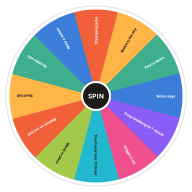
What's on the Brain Break Wheel
Change any entry in the Entries box next to the wheel, add your own or take some out. Your version is saved in this browser, and Reset brings the template back.
Edit Entries- 10 jumping jacks
- Stretch to the sky
- Freeze dance
- Simon says
- Deep breathing for 1 minute
- Wiggle it out
- Touch your toes 10 times
- March in place
- Balance on one foot
- Silent ball
- Shoulder rolls
- Mirror a partner
Ways to Use the Brain Break Wheel
-
Between Lessons
Spin during transitions to reset attention before the next subject starts.
-
After Tests
Use a calming break to release tension after a quiz, test or long writing task.
-
Indoor Recess
Spin several breaks in a row when the class can't go outside.
-
Remote Learning
Share your screen and let students at home follow the same break.
Brain Break Wheel vs. the Teacher Picking
When a teacher chooses the break, students often ask for the same favorites or argue for a different one. The wheel makes the choice in front of everyone, so the break feels fair and the routine stays varied. It also saves a decision during a busy lesson.
How to Use the Brain Break Wheel
Spin
Click the wheel or the Spin button at its center, or press Ctrl + Enter.
Watch It Land
The wheel ticks past each slice and slows down. Whatever stops under the pointer lights up as the result.
Keep It or Remove It
Keep the result, or press Remove so it cannot come up again.
Go Again
Spin as often as you like. The Results tab lists every result.
Related Wheels
See all templates-
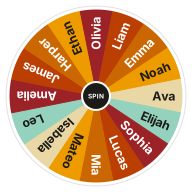 Random Name Picker
Pick a random name from a list with a free wheel of names. Paste your class roster or raffle entries, spin, and remove winners as you go.
Classroom Wheels
Random Name Picker
Pick a random name from a list with a free wheel of names. Paste your class roster or raffle entries, spin, and remove winners as you go.
Classroom Wheels
-
 Ice Breaker Questions Wheel
Spin for a random ice breaker question. Easy get-to-know-you questions for classrooms, team meetings and first days.
Classroom Wheels
Ice Breaker Questions Wheel
Spin for a random ice breaker question. Easy get-to-know-you questions for classrooms, team meetings and first days.
Classroom Wheels
-
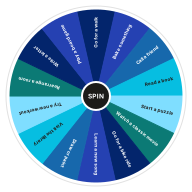 Things to Do Wheel
Bored? Spin the things to do wheel for a random activity, indoors or out. A quick cure for a slow weekend.
Decision Wheels
Things to Do Wheel
Bored? Spin the things to do wheel for a random activity, indoors or out. A quick cure for a slow weekend.
Decision Wheels
-
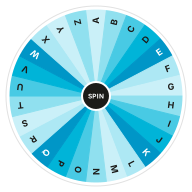 Random Letter Wheel
Pick a random letter from A to Z with an alphabet wheel. Great for word games, Scattergories and classroom phonics.
Classroom Wheels
Random Letter Wheel
Pick a random letter from A to Z with an alphabet wheel. Great for word games, Scattergories and classroom phonics.
Classroom Wheels
-
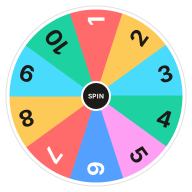 Random Number Wheel 1–10
Pick a random number from 1 to 10 with a number wheel. Each number has an equal 10% chance.
Classroom Wheels
Random Number Wheel 1–10
Pick a random number from 1 to 10 with a number wheel. Each number has an equal 10% chance.
Classroom Wheels
-
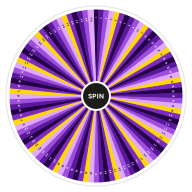 Random Number Wheel 1–100
Pick a random number from 1 to 100 with a free number wheel. Every number has an equal 1% chance, and you can draw without repeats.
Classroom Wheels
Random Number Wheel 1–100
Pick a random number from 1 to 100 with a free number wheel. Every number has an equal 1% chance, and you can draw without repeats.
Classroom Wheels
Frequently Asked Questions
Quick answers about how the wheel works, what it saves and how fair it is. Want proof? Try the randomness audit.
What is a brain break wheel?
A brain break wheel is a random activity spinner for classrooms. It picks a short movement, stretching or breathing break that helps students refocus between lessons.
How long should a brain break take?
Most brain breaks work best at one to three minutes. That is long enough to reset attention without turning the break into a new activity.
Can I use the Brain Break Wheel with older students?
Yes. Replace the playful activities with ones that suit the age group, such as a one-minute stretch, a breathing exercise or a quick partner challenge.
Can I add my own brain break activities?
Yes. Edit the Entries box next to the wheel, one activity per line. Your list is saved in this browser for next time.
What if a break doesn't suit my room?
Spin again, or press Remove to take that break off the wheel. For small rooms, keep seated stretches, breathing and quiet activities on the list.
Can I change the entries on this wheel?
Yes. Edit the Entries box next to the wheel, one entry per line, and the wheel updates as you type. Your version is saved in this browser, and Reset brings back the template's entries.
Does the wheel keep my results?
Yes. The Results tab lists every spin, newest first, until you clear it or leave the page. Your entries and settings stay saved in this browser.
Does this wheel work on my phone?
Yes. It works in any modern browser on phones, tablets and computers, with nothing to install.
What if I don't like the result?
Spin again. If a result disappoints you, that can be a useful sign of what you really wanted.
Ready to Spin?
Your wheel is waiting at the top of the page, just as you left it.