Random Number Wheel 1–10
The Random Number Generator 1–10 is a free number wheel that picks a whole number from 1 to 10, with an equal one in ten chance for each.
Spin the wheel to pick a random number for a guessing game, a classroom activity or a quick decision. Every number covers one tenth of the wheel.
To pick numbers without repeats, press Remove after each spin. For a larger range, use the Random Number Wheel 1–20 or edit the numbers yourself.
- 10 entries
- 1 in 10 chance each
- Classroom Wheels
- Free, no sign-up
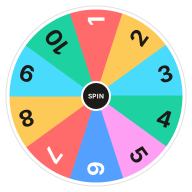
What's on the Random Number Wheel 1–10
Change any entry in the Entries box next to the wheel, add your own or take some out. Your version is saved in this browser, and Reset brings the template back.
Edit Entries- 1
- 2
- 3
- 4
- 5
- 6
- 7
- 8
- 9
- 10
Ways to Use the Random Number Wheel 1–10
-
Guessing Games
Spin a secret number and let players guess it.
-
Classroom Questions
Number questions on a worksheet and spin to pick which to answer.
-
Rating Challenges
Spin a score for a silly rating game.
-
Workout Reps
Spin to set the number of reps for each exercise.
Number Wheel vs. a Random Number Generator
A plain random number generator shows a number and nothing else. The number wheel shows every possible result and lands on one in front of everyone, which makes it easier to trust in a classroom or a group.
How to Use the Random Number Wheel 1–10
Spin
Click the wheel or the Spin button at its center, or press Ctrl + Enter.
Watch It Land
The wheel ticks past each slice and slows down. Whatever stops under the pointer lights up as the result.
Keep It or Remove It
Keep the result, or press Remove so it cannot come up again.
Go Again
Spin as often as you like. The Results tab lists every result.
Related Wheels
See all templates-
 Random Number Wheel 1–20
Spin for a random number from 1 to 20. A free number wheel with an equal 5% chance for every number, handy as a d20.
Classroom Wheels
Random Number Wheel 1–20
Spin for a random number from 1 to 20. A free number wheel with an equal 5% chance for every number, handy as a d20.
Classroom Wheels
-
 Random Number Wheel 1–100
Pick a random number from 1 to 100 with a free number wheel. Every number has an equal 1% chance, and you can draw without repeats.
Classroom Wheels
Random Number Wheel 1–100
Pick a random number from 1 to 100 with a free number wheel. Every number has an equal 1% chance, and you can draw without repeats.
Classroom Wheels
-
 Dice Roll Wheel
Roll a six-sided die online with a dice wheel. Every number from 1 to 6 has an equal chance, just like a real die.
Decision Wheels
Dice Roll Wheel
Roll a six-sided die online with a dice wheel. Every number from 1 to 6 has an equal chance, just like a real die.
Decision Wheels
-
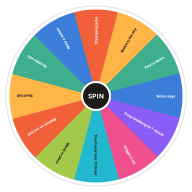 Brain Break Wheel
Spin for a quick brain break. Short movement and mindfulness activities to reset a classroom in two minutes or less.
Classroom Wheels
Brain Break Wheel
Spin for a quick brain break. Short movement and mindfulness activities to reset a classroom in two minutes or less.
Classroom Wheels
-
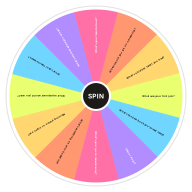 Ice Breaker Questions Wheel
Spin for a random ice breaker question. Easy get-to-know-you questions for classrooms, team meetings and first days.
Classroom Wheels
Ice Breaker Questions Wheel
Spin for a random ice breaker question. Easy get-to-know-you questions for classrooms, team meetings and first days.
Classroom Wheels
-
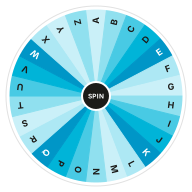 Random Letter Wheel
Pick a random letter from A to Z with an alphabet wheel. Great for word games, Scattergories and classroom phonics.
Classroom Wheels
Random Letter Wheel
Pick a random letter from A to Z with an alphabet wheel. Great for word games, Scattergories and classroom phonics.
Classroom Wheels
Frequently Asked Questions
Quick answers about how the wheel works, what it saves and how fair it is. Want proof? Try the randomness audit.
How do I pick a random number between 1 and 10?
Click the wheel or the Spin button. It lands on one number from 1 to 10, each with an equal chance.
Can I pick numbers without repeats?
Yes. Press Remove after each spin, or turn on Remove the winner automatically in Settings.
Can I change the range of numbers?
Yes. Edit the Entries box to list any numbers you like, one per line.
Can I use the number wheel for a raffle?
Yes. Give each ticket a number, spin where everyone can see, and remove each winning number before the next draw.
Can I change the entries on this wheel?
Yes. Edit the Entries box next to the wheel, one entry per line, and the wheel updates as you type. Your version is saved in this browser, and Reset brings back the template's entries.
Does the wheel keep my results?
Yes. The Results tab lists every spin, newest first, until you clear it or leave the page. Your entries and settings stay saved in this browser.
Does this wheel work on my phone?
Yes. It works in any modern browser on phones, tablets and computers, with nothing to install.
What if I don't like the result?
Spin again. If a result disappoints you, that can be a useful sign of what you really wanted.
Ready to Spin?
Your wheel is waiting at the top of the page, just as you left it.