Classroom Wheels
Classroom wheels are free random pickers for teachers, for calling on students, choosing numbers and letters, and running brain breaks and ice breakers.
-
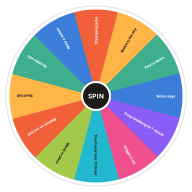 Brain Break Wheel
Spin for a quick brain break. Short movement and mindfulness activities to reset a classroom in two minutes or less.
Brain Break Wheel
Spin for a quick brain break. Short movement and mindfulness activities to reset a classroom in two minutes or less.
-
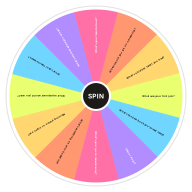 Ice Breaker Questions Wheel
Spin for a random ice breaker question. Easy get-to-know-you questions for classrooms, team meetings and first days.
Ice Breaker Questions Wheel
Spin for a random ice breaker question. Easy get-to-know-you questions for classrooms, team meetings and first days.
-
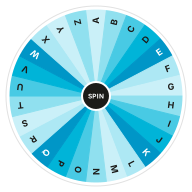 Random Letter Wheel
Pick a random letter from A to Z with an alphabet wheel. Great for word games, Scattergories and classroom phonics.
Random Letter Wheel
Pick a random letter from A to Z with an alphabet wheel. Great for word games, Scattergories and classroom phonics.
-
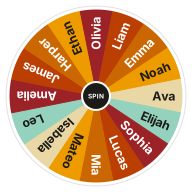 Random Name Picker
Pick a random name from a list with a free wheel of names. Paste your class roster or raffle entries, spin, and remove winners as you go.
Random Name Picker
Pick a random name from a list with a free wheel of names. Paste your class roster or raffle entries, spin, and remove winners as you go.
-
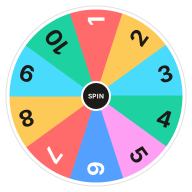 Random Number Wheel 1–10
Pick a random number from 1 to 10 with a number wheel. Each number has an equal 10% chance.
Random Number Wheel 1–10
Pick a random number from 1 to 10 with a number wheel. Each number has an equal 10% chance.
-
 Random Number Wheel 1–100
Pick a random number from 1 to 100 with a free number wheel. Every number has an equal 1% chance, and you can draw without repeats.
Random Number Wheel 1–100
Pick a random number from 1 to 100 with a free number wheel. Every number has an equal 1% chance, and you can draw without repeats.
-
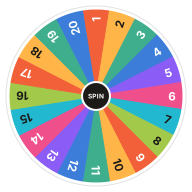 Random Number Wheel 1–20
Spin for a random number from 1 to 20. A free number wheel with an equal 5% chance for every number, handy as a d20.
Random Number Wheel 1–20
Spin for a random number from 1 to 20. A free number wheel with an equal 5% chance for every number, handy as a d20.
-
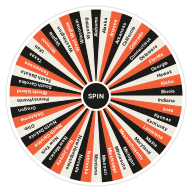 US State Picker Wheel
Pick a random US state with a wheel of all 50 states. For geography lessons, road trip ideas and trivia.
US State Picker Wheel
Pick a random US state with a wheel of all 50 states. For geography lessons, road trip ideas and trivia.
Each wheel works on a projector or interactive whiteboard with nothing to install. Switch to full screen so the whole class can watch the spin, and press Remove after each pick when nobody should be chosen twice.
Students tend to accept a result they saw the wheel choose. It takes the teacher out of the decision, which helps with turn-taking, groups and anything else that can feel unfair.
Entries are saved in the browser you use, not on a server, so no student names leave your computer.
Which Classroom Wheel to Use
Start from what the lesson needs.
-
Calling on Students
Paste the class list and pick a name, without repeats.
-
Numbers for Math and Games
Pick a number from 1 to 10, 1 to 20 or 1 to 100.
-
Spelling and Word Games
Pick a letter of the alphabet for word games and phonics.
-
Geography
Pick one of the 50 US states for a report or a quiz.
-
Movement Breaks
A quick activity to get students moving between lessons.
-
Getting to Know Each Other
Ice breaker questions for the first week or a new group.
Frequently Asked Questions
Quick answers about how the wheel works, what it saves and how fair it is. Want proof? Try the randomness audit.
How do teachers use a spin wheel in class?
Mostly to choose fairly in front of everyone: who answers next, which group presents first, which question or topic comes up. Project the wheel in full screen and spin it where the class can see.
Can I stop a student being picked twice?
Yes. Press Remove after each pick, or turn on Remove the winner automatically in Settings. Reset brings every name back for the next round.
Are student names kept private?
Yes. Names you type are saved only in your own browser and are never uploaded. Clearing your browser data removes them.
Need Something Else?
See all templatesEvery template is a starting point. Open the wheel spinner to type your own entries, or change any template's entries to fit.