Prize Wheel
The Prize Wheel is a free spin-to-win wheel that picks a prize at random, for event booths, shop promotions, classroom rewards, parties and live streams.
Replace the sample prizes with your own, one per line. Every prize has the same chance at first. To make the grand prize rare, give the common prizes bigger slices: end a line with a pipe and a number, such as Sticker | 4, and that prize gets four times the slice.
The wheel always shows the real odds, so what people see is what they can win. Switch to full screen on a tablet or a TV at a booth, or share your screen on a stream.
- 8 entries
- 1 in 8 chance each
- Party Wheels
- Free, no sign-up
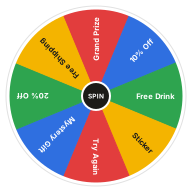
What's on the Prize Wheel
Change any entry in the Entries box next to the wheel, add your own or take some out. Your version is saved in this browser, and Reset brings the template back.
Edit Entries- Grand Prize
- 10% Off
- Free Drink
- Sticker
- Try Again
- Mystery Gift
- 20% Off
- Free Shipping
Ways to Use the Prize Wheel
-
Event Booths
Draw a crowd at a fair, trade show or open day with a spin for every visitor.
-
Shop Promotions
Let customers spin for a discount or a free extra at the till.
-
Classroom Rewards
Reward good work with a spin for a sticker, extra break time or first pick.
-
Live Streams
Spin for viewer prizes on screen, so everyone sees the result at once.
Prize Wheel vs. Random Name Picker
The Prize Wheel picks what someone wins. The Random Name Picker picks who wins. For a giveaway with several prizes, use both: spin the name picker for each winner, then the prize wheel for their prize.
How to Use the Prize Wheel
Spin
Click the wheel or the Spin button at its center, or press Ctrl + Enter.
Watch It Land
The wheel ticks past each slice and slows down. Whatever stops under the pointer lights up as the result.
Keep It or Remove It
Keep the result, or press Remove so it cannot come up again.
Go Again
Spin as often as you like. The Results tab lists every result.
Related Wheels
See all templates-
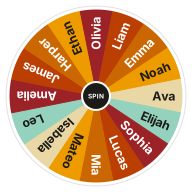 Random Name Picker
Pick a random name from a list with a free wheel of names. Paste your class roster or raffle entries, spin, and remove winners as you go.
Classroom Wheels
Random Name Picker
Pick a random name from a list with a free wheel of names. Paste your class roster or raffle entries, spin, and remove winners as you go.
Classroom Wheels
-
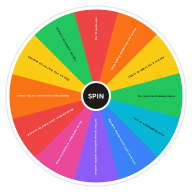 Punishment Wheel
Lost the game? Spin the punishment wheel for a harmless, funny forfeit. Silly penalties for parties and game nights.
Party Wheels
Punishment Wheel
Lost the game? Spin the punishment wheel for a harmless, funny forfeit. Silly penalties for parties and game nights.
Party Wheels
-
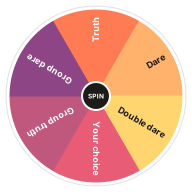 Truth or Dare Wheel
Play truth or dare with a spinner. Spin to see whether you get a truth or a dare, with twists like double dare and group dare.
Party Wheels
Truth or Dare Wheel
Play truth or dare with a spinner. Spin to see whether you get a truth or a dare, with twists like double dare and group dare.
Party Wheels
-
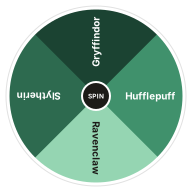 Hogwarts House Wheel
Get sorted with a spin. The Hogwarts house wheel picks Gryffindor, Hufflepuff, Ravenclaw or Slytherin at random.
Party Wheels
Hogwarts House Wheel
Get sorted with a spin. The Hogwarts house wheel picks Gryffindor, Hufflepuff, Ravenclaw or Slytherin at random.
Party Wheels
-
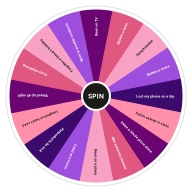 Never Have I Ever Wheel
Spin for a random Never Have I Ever prompt. Clean, funny questions for parties, sleepovers and road trips.
Party Wheels
Never Have I Ever Wheel
Spin for a random Never Have I Ever prompt. Clean, funny questions for parties, sleepovers and road trips.
Party Wheels
-
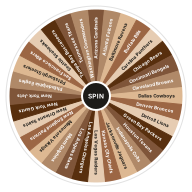 NFL Team Wheel
Spin for a random NFL team. All 32 teams on one wheel, for fantasy drafts, office pools and video game picks.
Party Wheels
NFL Team Wheel
Spin for a random NFL team. All 32 teams on one wheel, for fantasy drafts, office pools and video game picks.
Party Wheels
Frequently Asked Questions
Quick answers about how the wheel works, what it saves and how fair it is. Want proof? Try the randomness audit.
How do I make a prize wheel?
Type your prizes into the Entries box, one per line, then spin. Name the wheel, then choose its colors, sounds and confetti in Settings.
How do I make the grand prize harder to win?
Give the other prizes bigger slices. End a line with a pipe and a number, such as Sticker | 5, and that prize is five times as likely as one without a number. The grand prize keeps its single small slice.
Can I take a prize off the wheel once it's won?
Yes. Press Remove when the wheel stops, or turn on Remove the winner automatically in Settings, so a one-off prize can't be won twice.
Do I need rules for a business giveaway?
Often, yes. Many places have laws about prize promotions, such as allowing entry without a purchase. Check the rules where you are before running a prize wheel for a business.
Can I change the entries on this wheel?
Yes. Edit the Entries box next to the wheel, one entry per line, and the wheel updates as you type. Your version is saved in this browser, and Reset brings back the template's entries.
Does the wheel keep my results?
Yes. The Results tab lists every spin, newest first, until you clear it or leave the page. Your entries and settings stay saved in this browser.
Does this wheel work on my phone?
Yes. It works in any modern browser on phones, tablets and computers, with nothing to install.
What if I don't like the result?
Spin again. If a result disappoints you, that can be a useful sign of what you really wanted.
Ready to Spin?
Your wheel is waiting at the top of the page, just as you left it.